
GTA 6 Weapon Customization: Buy Guns, Fit Optics and Check Upgrades
Use GTA 6 gun stores, distinguish owned and found weapons, buy compatible attachments and check whether an optic or cosmetic upgrade is actually equipped.
Where do you buy and customize weapons in GTA 6?
Use an Ammu-Nation weapon shop, choose the weapon you intend to use and inspect its purchase or modification options. GAMES.GG’s launch weapon guide distinguishes owned weapons from found and unique variants, and describes customization for owned guns.
This guide covers the buying and configuration workflow. For identifying weapons from official material, use the weapon reference; for equipment selection and practice, use the weapon basics guide.
What should you check before buying a gun?
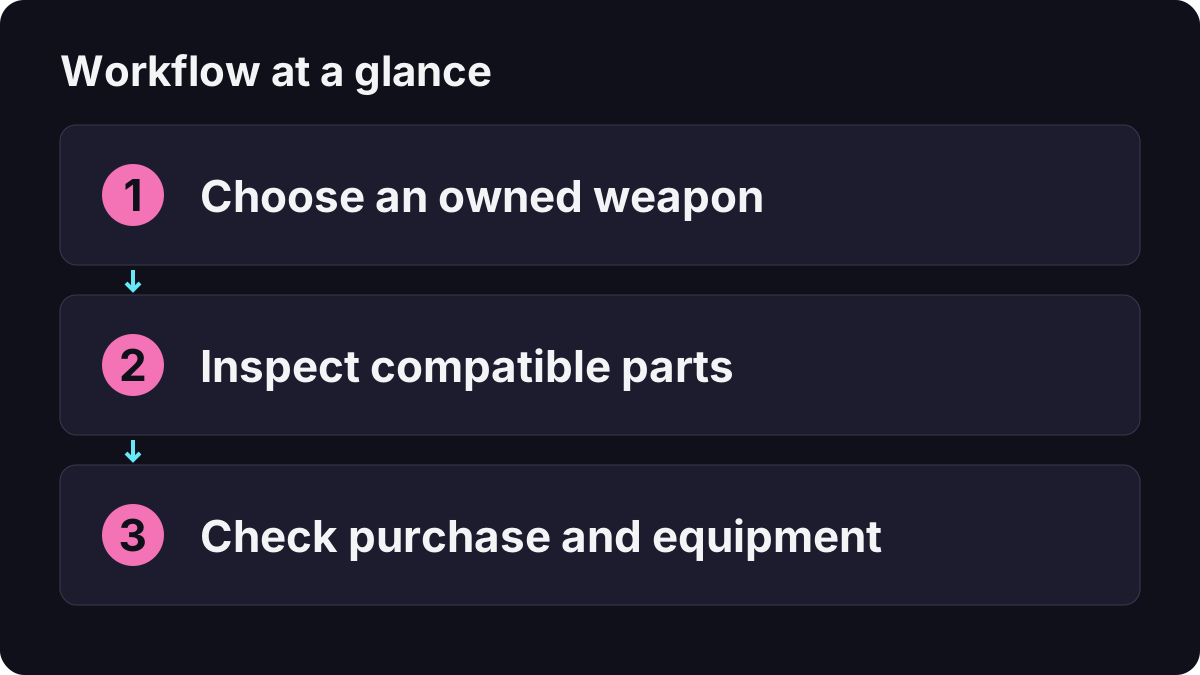
- Find an accessible weapon shop using the game map and inspect the selected business.
- Open the store’s weapon interaction and select the exact weapon or variant.
- Compare its price and available purchase information with your budget.
- Confirm whether you are buying a weapon, ammunition, an attachment or a cosmetic option.
- Complete the intended purchase, then check the owned and equipped state rather than relying on the preview.
Set aside enough money for the trip and other supplies before spending everything on an optional upgrade. The money guide helps separate immediate needs from purchases that can wait. If the shop is difficult to locate, follow map destinations and service categories.
How do you choose a compatible attachment?
Open the selected owned weapon’s modification screen and browse the parts actually offered for it. Do not use the appearance of a different weapon as proof that the same sight, magazine or other part fits this one.
| Check | Why it matters |
|---|---|
| Exact weapon and variant | Similar names or appearances can hide a different selection. |
| Attachment group | A cosmetic finish and a functional part are different purchases. |
| Availability message | Read any condition instead of assuming every grey item is a bug. |
| Price and confirmation | Avoid buying while still comparing alternatives. |
| Equipped selection afterward | Ownership and active configuration should be checked separately. |
Buy one useful part first, then test it before filling every available category. That makes it easier to identify what changed and to decide whether another purchase is necessary.
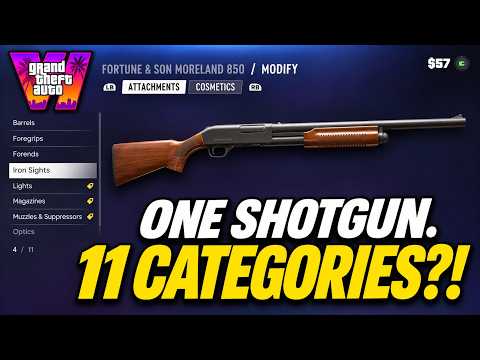
Vice City Standard: gun-store weapons, attachments and customization
How do you add an optic and aim through it?
Push Square’s first-person aiming guide identifies Attachments → Optics in the weapon modification screen. Select a suitable option for the chosen firearm and confirm the purchase and equipped state.
For the PS5 aiming example in that guide, hold L2 and press R3 with a suitable optic-equipped weapon. R3 means clicking the right stick. Use the actual prompts for another platform or a remapped scheme rather than treating this example as a universal layout.
If the view does not change, check the weapon currently in hand and its active attachment before buying another sight. An optic aiming view is not a complete freely playable first-person mode, and it does not create a cockpit view for driving. The camera and first-person guide explains those differences.
Why can you use a found gun but not modify it?
The GAMES.GG reference describes unowned pickups and unique weapons as outside the normal attachment-customization system. Carrying an item is therefore not sufficient evidence that it is eligible for the same modifications as a purchased owned weapon.
Before spending more money, identify what you have selected in the shop. Read the ownership and variant information, then compare it with the weapon you intended to modify. A special appearance should not be treated as proof that every part can be replaced.
This is also why the pre-order reward guide separates an entitlement, an unlocked variant and an ordinary store purchase. Use that guide for reward access instead of attempting to recreate a bonus item through unrelated upgrades.
Do cosmetics automatically improve damage or accuracy?
Do not assume a performance benefit from a new color or finish. Read the item’s description and distinguish appearance from any stated functional effect. A stat display, the aiming view and your subjective comfort are different kinds of information.
For a useful comparison, keep the same weapon, place and action before and after the change. If you alter the optic, camera sensitivity and weapon at once, you cannot tell which change caused the result. Use settings to adjust control comfort separately from purchases.
What if you paid but the upgrade seems missing?
| Symptom | Check before purchasing again |
|---|---|
| The weapon looks unchanged | Was the purchase cosmetic or functional, and is it selected? |
| A different gun appears in hand | Select the weapon you actually modified. |
| The attachment is owned but not active | Inspect the weapon’s current equipped option. |
| The option is unavailable | Read ownership, variant and any displayed access condition. |
| A look differs after switching characters | Check the current character’s configuration instead of assuming the two displays must match. |
| The purchase disappeared after loading | Compare the loaded save with the time of the transaction. |
Keep a manual save before an optional spending experiment when saving is available. Read the confirmation carefully if you intend to test and return to an earlier state; loading a save and undoing one purchase are not independent actions.
What is a sensible first upgrade routine?
Choose one owned gun you already use, identify the specific difficulty you want to solve and inspect only the relevant modification category. Confirm compatibility, buy one part and test the result in a suitable in-game location. Recheck the selected weapon before drawing a conclusion.
If your real problem is surviving an encounter, more customization may not be the immediate answer. Healing and body armor addresses recovery, while controls and camera setup address handling. Buy the part that solves a recognizable problem instead of treating the whole store menu as a mandatory checklist.
Related Articles
guides
GTA 6 100% Completion Guide: Checklist and Cleanup Order
Organize GTA 6 100% completion with a category checklist, discovery targets, regional cleanup routes and a clear method for checking stalled progress.
guides
GTA 6 Best Beginner Settings: Controls, HUD, Audio and Units
Set up GTA 6 for a clearer first session: find settings, adjust controls and readability, turn menu narration on or off, change distance units and reset safely.
guides
GTA 6 Change Clothes: Wardrobe, Saved Outfits and Vehicle Storage
Change clothes in GTA 6, use a wardrobe, find clothing stores, save an outfit and prepare a vehicle change. Includes checks for missing clothes and rewards.
Was this helpful?
Thanks for the feedback!