
GTA 6 Fast Travel: Paradise Taxi, RydeMe and Ride Costs
Learn how GTA 6 fast travel works, call Paradise Taxi, use RydeMe, pay to skip a ride and troubleshoot missing drivers or insufficient funds.

How do you fast travel in GTA 6?
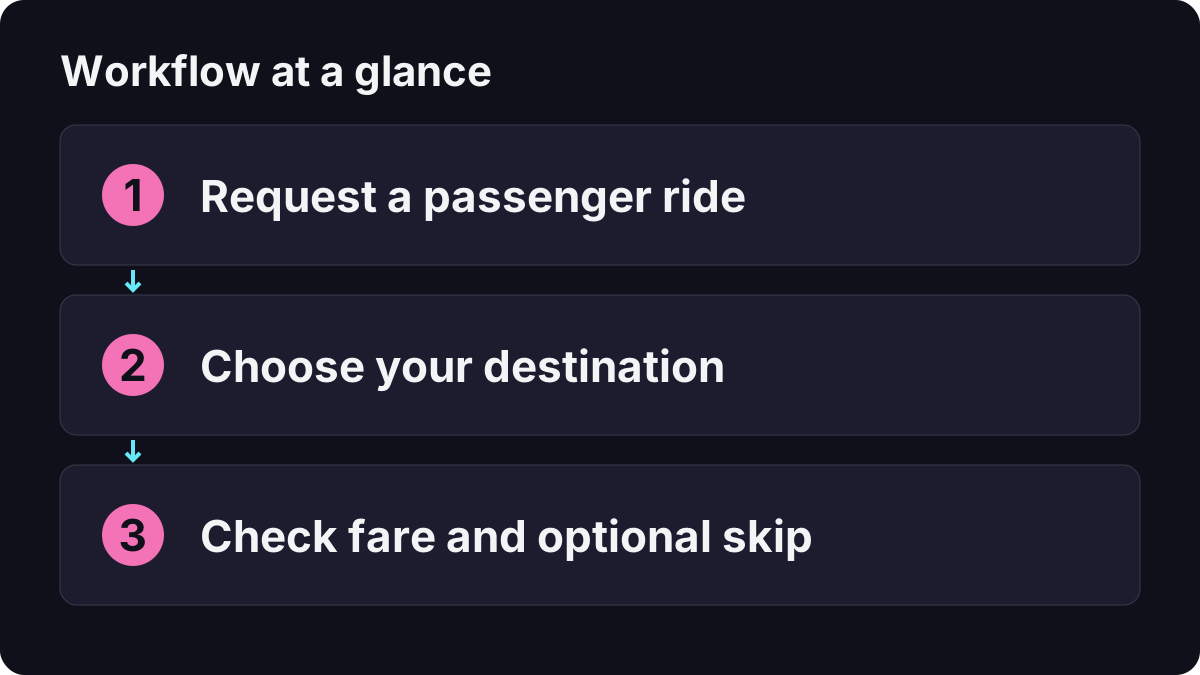
Request a passenger ride, choose a destination and pay to skip the drive. Selecting a point on the map alone does not teleport your character. PowerPyx’s launch guide describes Paradise Taxi becoming available after the opening Gone Fishing mission, with the RydeMe phone app arriving in Chapter 2.
For a first trip, use an easy destination such as an accessible residence. That lets you learn the pickup and payment sequence without also searching for an unfamiliar entrance. The map navigation guide explains how a destination differs from a saved marker.
How do you call Paradise Taxi?
- Press D-pad Up to open the phone.
- Open Contacts, then All Contacts, and select Paradise Taxi.
- Complete the call and check the pickup indicator. The launch guide describes a white vehicle icon on the minimap.
- Set your intended destination on the world map, then enter the arriving taxi as a passenger.
- Read the driver interaction and the displayed fare before confirming a skip.
Wait for the vehicle actually assigned to your request. Entering another nearby cab is not a reliable way to determine whether your phone booking worked. If the pickup is awkward, move to an accessible roadside position before trying again; this is troubleshooting advice rather than a required mission step.
Which buttons skip the journey?
GamesRadar’s fast-travel walkthrough describes focusing on the driver, then choosing the paid skip interaction:
| Action while inside the ride | PS5 | Xbox Series |
|---|---|---|
| Hold to focus on / talk to the driver | L2 | LT |
| Choose the skip interaction when offered | Triangle | Y |
Follow the displayed press or hold prompt for your selected control scheme. Do not press the exit-vehicle input just because the same face button has another purpose elsewhere. These instructions describe a passenger interaction, not driving your own vehicle.

Grand Theft Math: Paradise Taxi, fares and skipping a ride
Why does fast travel cost more than the initial fare?
The launch walkthroughs report an additional $100 in-game charge to skip, separate from the normal fare. Think of the budget as:
Displayed journey fare + optional skip charge = total paid for an immediate arrival.
A quoted ride price is therefore not necessarily the total if you also skip. If you are short of money, consider taking the ordinary journey or choosing a closer destination rather than repeatedly requesting the same unaffordable trip. See the beginner money guide for spending priorities.
The GamesRadar guide distinguishes Paradise Taxi’s cash payment from RydeMe’s BuckMe account payment. If the game says you have insufficient funds, check the balance relevant to that service, not just the largest number on your account screen. Use the amount and payment message shown in your session if a later update changes the pricing.
How is RydeMe different from Paradise Taxi?
Once RydeMe is available, open the app from the phone, request a pickup and select a destination. Check the quoted charge, locate the assigned driver and board before selecting the optional skip. If no ride is offered, try the taxi contact rather than assuming the entire travel system is unavailable.
| Choose this | When it is useful |
|---|---|
| Paradise Taxi | You have the contact and want the familiar call-and-pickup workflow. |
| RydeMe | The app is unlocked and its payment method suits your available funds. |
| Drive yourself | You want to stop, explore, collect something or control the approach. |
This is a passenger-travel guide, not a list of taxi-driver jobs. Buying a vehicle and requesting a ride are also different tasks; use personal vehicles and garages when you want transport you can keep.
What should you check when a ride will not work?
| Problem | Check first | Useful next action |
|---|---|---|
| Paradise Taxi is missing | Opening-story progress and All Contacts | Finish the current introduction and reopen the contacts list. |
| RydeMe is missing | Whether the app has been introduced | Use the taxi contact already available to you. |
| No driver appears | Request status, vehicle icon and pickup accessibility | Check for a pending ride before placing another request. |
| Insufficient funds | Fare, skip charge and payment source | Reduce the journey cost or use the appropriate balance. |
| No skip prompt | Whether you are inside the booked vehicle and focused on its driver | Read the passenger interaction before using another button. |
| The arrival is not the entrance | The actual road access to the destination | Walk or drive the final approach from the nearest suitable road. |
If a mission or pursuit prevents an interaction, follow its current instructions before treating the phone as broken. Read wanted levels and search states for escape problems. Fast travel should not be assumed to cancel a wanted state, finish a mission or guarantee access to a locked interior.
What is a sensible first-session travel routine?
Make a manual save before a longer exploration session. Test one short ride, note the fare and skip charge separately, then decide whether saving time is worth the extra cost. On arrival, check the destination against the building or landmark you actually wanted.
For a collection route with many stops, group nearby locations and drive between them. Use a paid ride for the long transfer rather than paying for a skip at every short hop. This is a planning suggestion, not a claim that one transport method is always cheapest.
Can you fast travel directly from our interactive map?
No. Our interactive Leonida atlas is a website tool for region browsing and personal checklists. It does not control the game, book taxis or transmit a destination to your console. Set the actual trip inside GTA 6.
Related Articles
guides
GTA 6 100% Completion Guide: Checklist and Cleanup Order
Organize GTA 6 100% completion with a category checklist, discovery targets, regional cleanup routes and a clear method for checking stalled progress.
guides
GTA 6 Best Beginner Settings: Controls, HUD, Audio and Units
Set up GTA 6 for a clearer first session: find settings, adjust controls and readability, turn menu narration on or off, change distance units and reset safely.
guides
GTA 6 Change Clothes: Wardrobe, Saved Outfits and Vehicle Storage
Change clothes in GTA 6, use a wardrobe, find clothing stores, save an outfit and prepare a vehicle change. Includes checks for missing clothes and rewards.
Was this helpful?
Thanks for the feedback!