
GTA 6 Weapons in Official Images: Names, Types and Variants
Explore weapons named or shown in official GTA 6 material, distinguish Morgan revolvers and weapon variants, and organize a clear equipment reference.
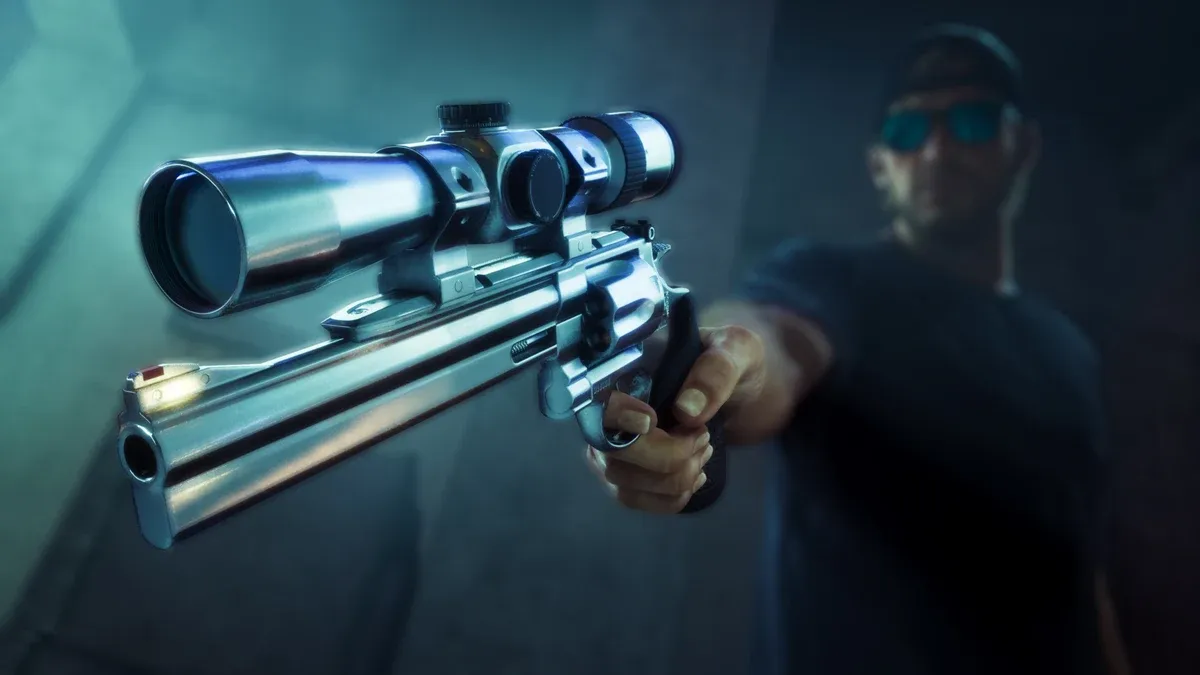
How should you read an official GTA 6 weapon image?
Begin with the caption, then describe what is actually visible. A named benefit, a weapon held by a character, and a different-looking variant are three different kinds of entry. Keep those distinctions in the reference list so that a promotional scene does not silently become an equipment specification.
The official editions page names Hawk & Little Morgan Revolvers and Personalized Weapon Variants. The official media collection provides associated imagery. Use the product wording for the name and the image for appearance.
What should you record about Hawk & Little Morgan Revolvers?
Preserve the complete official name instead of shortening it into a guessed real-world model. Add the edition-benefit context and the image source. In the close-up used here, the scope and visible weapon details are useful visual identifiers.
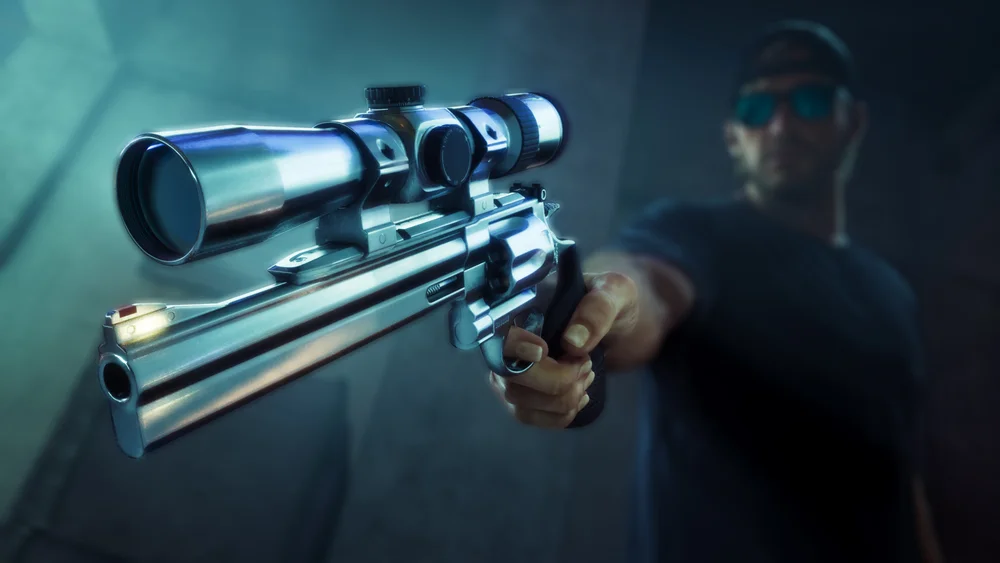
Keep “recognizable feature in this image” separate from “tested handling effect.” A visible optic can help distinguish an image without establishing zoom levels, range, accuracy, damage, or compatibility rules. Those belong in a different set of fields once the actual interface or test supplies the information.
How should unnamed weapons be categorized?
Use a broad type or an image description when a source does not supply a name. For example, a promotional character image can support an entry for a visibly held firearm while leaving the exact model field open. Avoid solving the naming gap by importing a label from a different GTA game.
| Entry | What can identify it initially | What to add separately |
|---|---|---|
| Officially named revolver benefit | Exact product wording and its image | Acquisition and use notes |
| Personalized weapon variant | Benefit description and appearance | How it relates to other equipment |
| Unnamed firearm in a character scene | Image, character and broad visible type | Exact in-game name when available |
| Weapon seen briefly in a video | Video and scene reference | A clearer view before merging entries |
This structure lets you keep useful observations without pretending that every frame has already been identified.
Is a weapon variant necessarily a different weapon?
Read the product wording and, when available, the game’s equipment description. “Variant” should not automatically be rewritten as either “purely cosmetic” or “stronger.” Those are different claims and need different information.
When comparing images, note the specific visual change: finish, shape, visible accessory, or presentation. Keep a second section for any effect explicitly described by the interface. This prevents an appearance comparison from turning into a performance ranking.

Can trailer action establish weapon statistics?
A fast sequence can show the equipment’s appearance in context, but it does not provide a controlled comparison. Camera movement, editing, target conditions, and the part of the scene selected for the trailer all affect what a viewer sees.
For a useful viewing note, record the video and recognizable scene, then describe the visible equipment. Avoid counting a brief edited exchange as a full ammunition test or using the length of a shot as a reload measurement. A clear still from the same official material can be a better identification reference than a timing estimate.
How should you prepare a weapon reference for actual play?
Use separate fields for name, source, type, appearance, acquisition, and handling. Once you can read the actual equipment screen, copy its spelling and description before adding your own interpretation. Record any stated prerequisite next to the acquisition note instead of burying it in the general introduction.
For handling comparisons, keep the distance, settings, and configuration comparable. The weapons starter guide explains that process. If an objective limits equipment, use the current instruction rather than a favorite item from a gallery.
What if a weapon image does not match the product name?
Return to the official section containing the image and read its heading. Is it presenting a named weapon, a character scene or edition contents? Match an image to a specific item when the source names it. If only the outline is visible, use a broad category instead of guessing an exact model.
For a purchase decision, check the complete product wording in the edition comparison. For a problem during play, record the equipment-screen name and use the weapons starter guide. These checks answer different questions: what the product includes, and how to use the equipment currently available to you.
What should you read next?
Related Articles
guides
GTA 6 100% Completion Guide: Checklist and Cleanup Order
Organize GTA 6 100% completion with a category checklist, discovery targets, regional cleanup routes and a clear method for checking stalled progress.
guides
GTA 6 Best Beginner Settings: Controls, HUD, Audio and Units
Set up GTA 6 for a clearer first session: find settings, adjust controls and readability, turn menu narration on or off, change distance units and reset safely.
guides
GTA 6 Change Clothes: Wardrobe, Saved Outfits and Vehicle Storage
Change clothes in GTA 6, use a wardrobe, find clothing stores, save an outfit and prepare a vehicle change. Includes checks for missing clothes and rewards.
Was this helpful?
Thanks for the feedback!